When manually handling trip files it's
possible to create inconsistencies between the
.System\Trips folder and the Explore.db in the
.System\SQlite folder. Especially for the XT2,
XT3 and Tread 2 models this can lead to problems.
E.G. Trips can reappear after having been deleted.
The XT does not store the trips in
Explore.db, even when connected to Garmin Explore, and does not
exhibit this behaviour.
Starting with V1.7 TripManager can perform
checks, and repair some inconsistencies.
Background
The trips for the XT2, XT3 and Tread 2 have an
item 'mExploreUuid' that contains a GUID. For newly created
trips TripManager creates a new GUID.
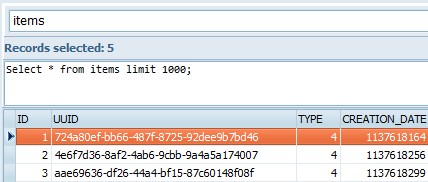
In Explore.db trips are also stored with
'type=4', their UUID and Name. (and more)
Ideally trips with the same trip name should
have the same UUID in Explore.db and in the Trips
folder.
Advice
To prevent inconsistencies when using TripManager in conjunction with
Explore it is recommended to delete trips on the device,
and not from the Trips folder.
A known cause of errors: A route initially
send using the normal 'Garmin' procedure, will be stored as
'1234567890.trip'. If you send the same route again using
TripManager it will be stored using the
<route_name>.trip. This will lead to duplicates. In
this case delete the trip from the device first, to avoid
inconsistencies.
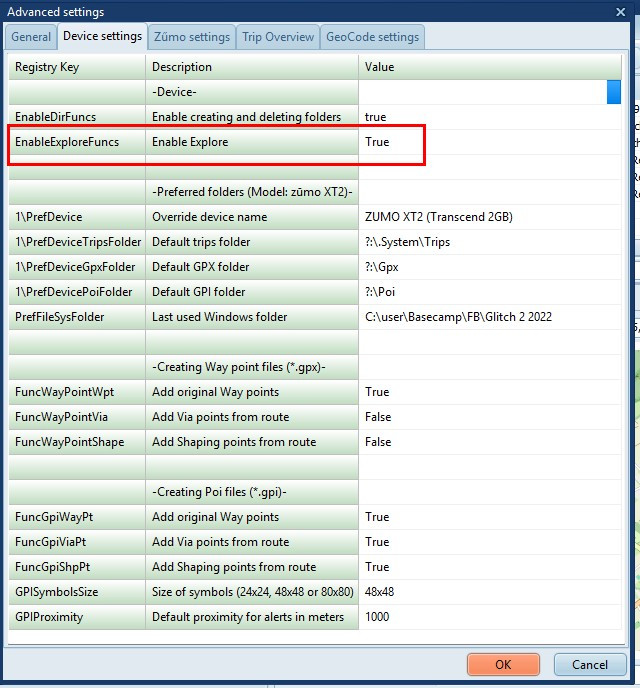
Activating the function
First enable this in Settings. (Restart
TripManager after changing this setting to take effect)
With the setting enabled TripManager will
check if a UUID is found for the trip name in Explore.db when
transferring, and use that value. To avoid having multiple
UUID's for a trip name.
When connecting a unit with an Explore.db in
.System\Sqlite it will copy the file to a sub folder (Device)
of the Temp path. All reads are done on that Temp path.
TripManager will NOT update the Explore.db on your
device.
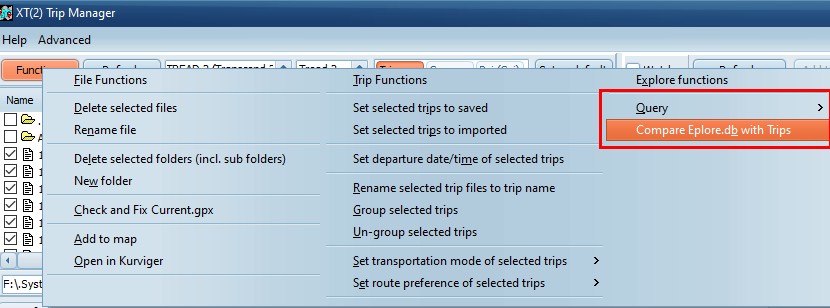
In addition
When a model that uses Explore.db is connected
AND the trips tab is selected, 3 more functions are
enabled.
Query/Explore.db will
open a tab with a table-browser. Just for quickly checking. You
can enter any SQL statement.
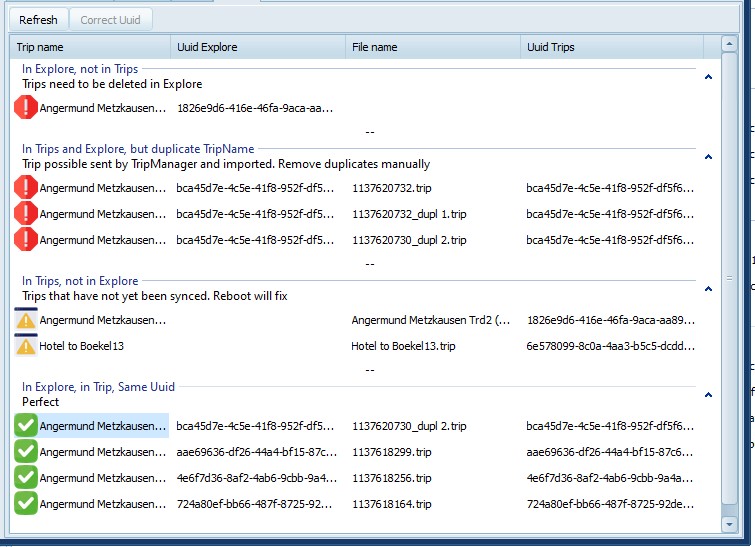
Compare Explore.db with Trips
Will run a compare, and show the results in a
tab.
There are 5 possible groups. Note that you can
double click to collapse or expand a group.
· In Explore, not in Trips. These trips are not
correct, but TripManager can not fix that. To fix that the
Explore.db would have to be written and updated on the device.
To resolve delete the trips on the device, or in Explore/Tread
app.
· In Trips and Explore, but duplicate TripName. The
same UUID is found for multiple Trip names. Delete the
duplicates manually.
· In Explore and Trips, but different UUID. Clicking
on Correct UUID will write the UUID value from Explore
in the trips. (no recalculation needed)
· In Trips, not in Explore. Probably these are new
trips that have just been transferred. Rebooting the device
should fix it.
· In Explore, in Trips, Same Uuid. These are the
perfect trips.
Export Explore.db to GPX Exports the contents of the Explore.db to GPX
format.