Background
When manually handling trip files it's
possible to create inconsistencies between the
.System\Trips folder and the Explore.db in the
.System\SQlite folder. Especially for the XT2,
XT3 and Tread 2 models this can lead to problems.
E.G. Trips can reappear after having been deleted.
The XT does not store the trips in
Explore.db, even when connected to Garmin Explore, and does not
exhibit this behaviour.
TripManager can perform checks, and repair
some inconsistencies.
The trips for the XT2, XT3 and Tread 2 have an
item 'mExploreUuid' that contains a GUID. For newly created
trips TripManager creates a new GUID.
In Explore.db trips are also stored with
'type=4', their UUID and Name. (and more)
Ideally trips with the same trip name should
have the same UUID in Explore.db and in the Trips
folder.
To prevent inconsistencies when using TripManager in conjunction with
Explore it is recommended to delete trips on the device,
and not from the Trips folder.
A known cause of errors: A route initially
send using the normal 'Garmin' procedure, will be stored as
'1234567890.trip'. If you send the same route again using
TripManager it will be stored using the
<route_name>.trip. This will lead to duplicates. In
this case delete the trip from the device first, to avoid
inconsistencies.
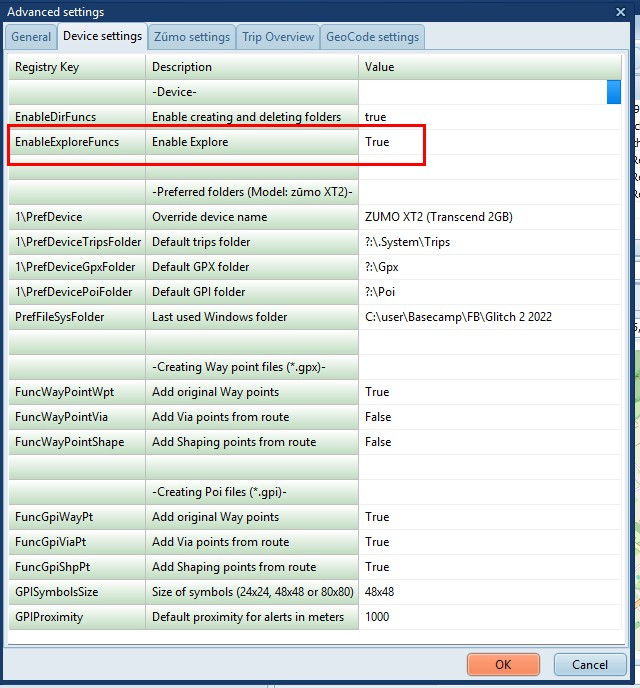
With this setting enabled TripManager will
check if a UUID is found for the trip name in Explore.db when
transferring. If found TripManager will use the UUID and
filename to save the trip on the device. To avoid having
multiple UUID's for a trip name.
It also enables TripManager to read the
VehicleProfileHash from the
Explore.db to avoid problems with vehicle
profiles.
The Trip info tab, that normally shows info on
a selected trip/gpi file, will now have the button Explore
info enabled. Activating that button will show a treeview
with all Waypoints, Routes and Tracks found in Explore.db.
Optionally grouped by collections.
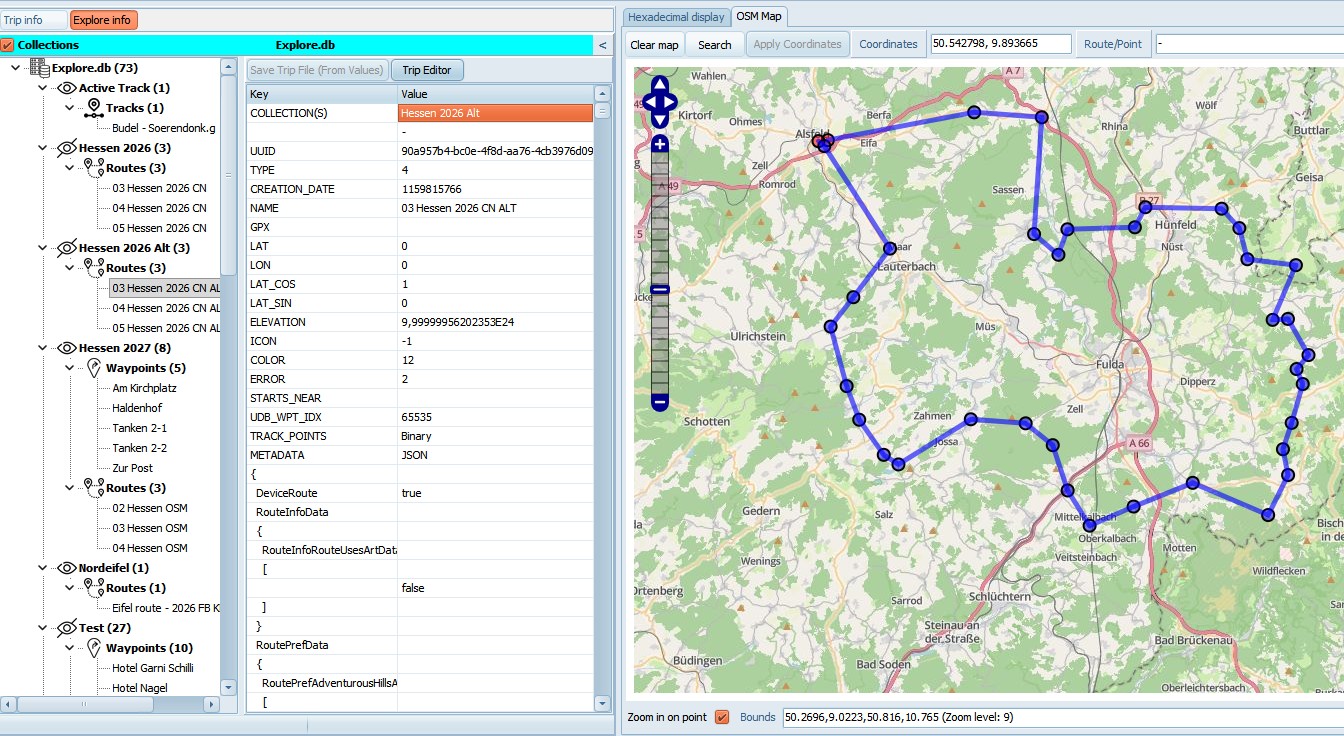 Selecting an item will load detailed info in
the grid, and show it on the map.
Selecting an item will load detailed info in
the grid, and show it on the map.
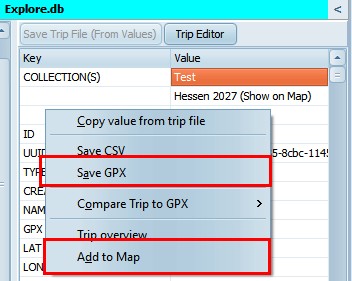
The functions of the context menu (Right click
in the grid) are available. EG: Save GPX, Add to
Map
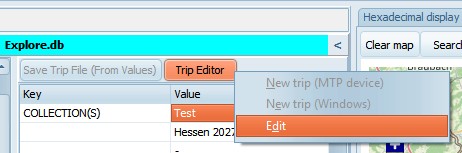
A selected route can be loaded in the
TripEditor, with all functions available.
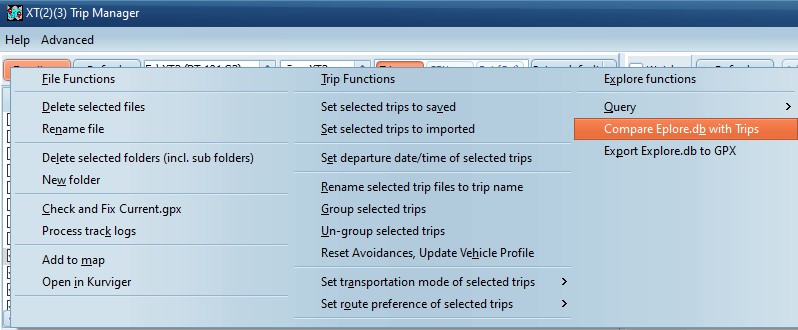
3) Device menu functions
When a model that uses Explore.db is connected
AND the trips tab is selected, 3 more functions are
enabled.
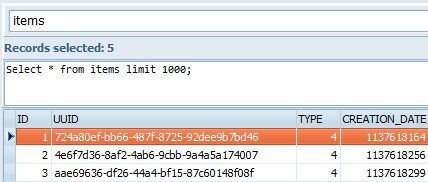
Query/Explore.db
Will open a table in the table-browser. Just
for quickly checking. You can enter any SQL statement.
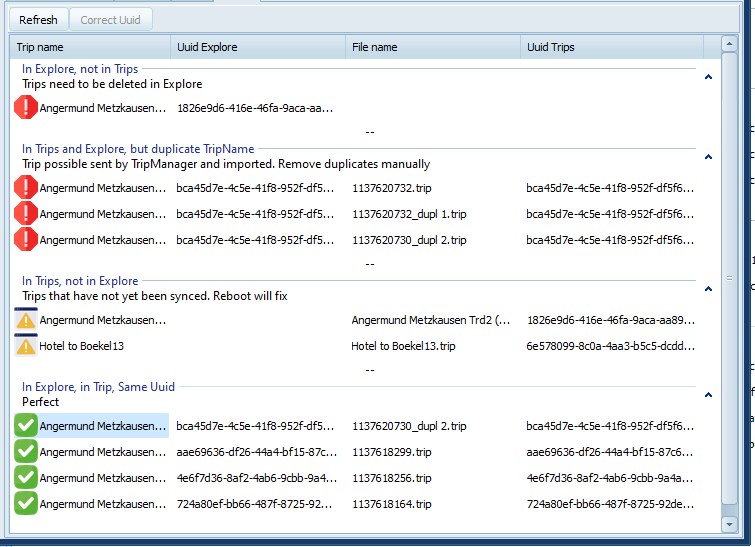
Compare Explore.db with Trips
Will run a compare, and show the results in a
tab.
There are 5 possible groups. Note that you can
double click to collapse or expand a group.
· In Explore, not in Trips. These trips are not
correct, but TripManager can not fix that. To fix that the
Explore.db would have to be written and updated on the device.
To resolve delete the trips on the device, or in Explore/Tread
app.
· In Trips and Explore, but duplicate TripName. The
same UUID is found for multiple Trip names. Delete the
duplicates manually.
· In Explore and Trips, but different UUID. Clicking
on Correct UUID will write the UUID value from Explore
in the trips. (no recalculation needed)
· In Trips, not in Explore. Probably these are new
trips that have just been transferred. Rebooting the device
should fix it.
· In Explore, in Trips, Same Uuid. These are the
perfect trips.
Export Explore.db to GPX
Exports the contents of the Explore.db to GPX
format. Use this function to backup the contents of the
Explore.db. The created GPX can be imported in
BaseCamp/Mapsource.
Notes
· A
<cmt> node containing the UUID will be added to every
item. This is a unique identifier and added for debugging
only.
· Waypoints
Will only contain the coordinates and the
name. EG: No Icon or Address info.
· Tracks
For the XT only the coordinates are available.
EG: No date/time info
· Routes
The XT will normally not save routes in
Explore.db.
The export only contains the route points.
When imported in BaseCamp, or other route planner, the route
will need to be recalculated.
Starting with TripManager V1.9 these functions
are enabled by default. Disabling can be done in Settings.
(Restart TripManager after changing this setting to take
effect)
With the setting enabled TripManger will copy
the Explore.db file .System\Sqlite to a sub folder (Device) of
the Temp path, when connecting a unit. All reads are done on
that Temp path. TripManager will NOT update the
Explore.db on your device.