· Connect the XT(2)(3) to your PC and start
TripManager.
· On
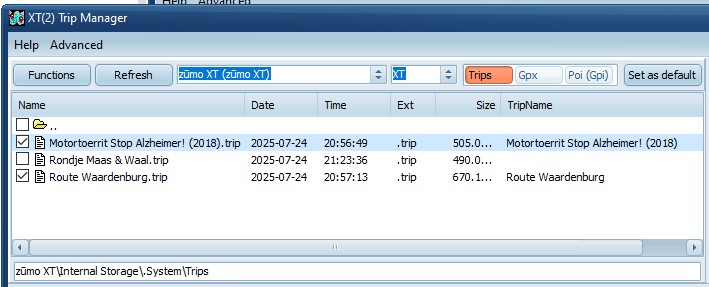
the Trips preset your trips are shown.
· Trips without a checkmark are ‘Imported’ and are subject
to RUT behaviour.
· Trips with a checkmark are 'Fixed'.
· Individual files can be (un)checked, and will be saved to
the device.
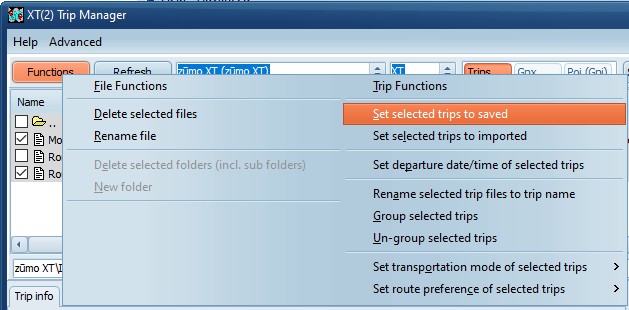
· Or
select all files, use CTRL-A, and choose Functions/Set
selected trips to saved
· You
can unplug your device.
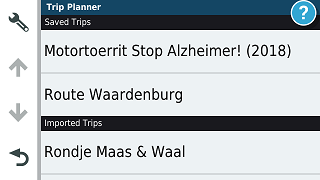
· On
the trip planner your fixed trips should be listed under
‘Saved’.
Background:
Notes:
· TripManager pre version V1.5 had an initial delay after
the first write to the device. This has been fixed in
V1.5.
· If
you use the function Send to
and check .trip files, the trips are fixed
(set to saved) by default.