The problem
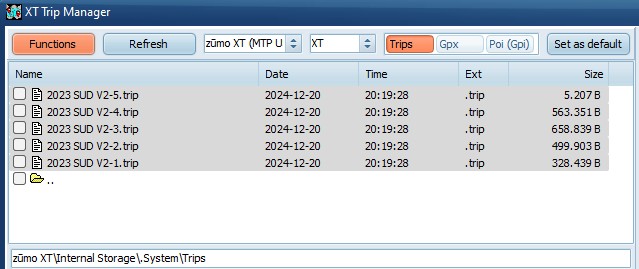
Trips seem to be randomly sorted on the XT,
resulting in scrolling through a long list on the XT to find
your trip. Actually trips on the XT are sorted on departure
date/time.
TripManager offers 2 methods to help.
1) Setting the Departure date/time of the
trips.
· Select the trips belonging together. E.G. all trips of a
multi-day trip.
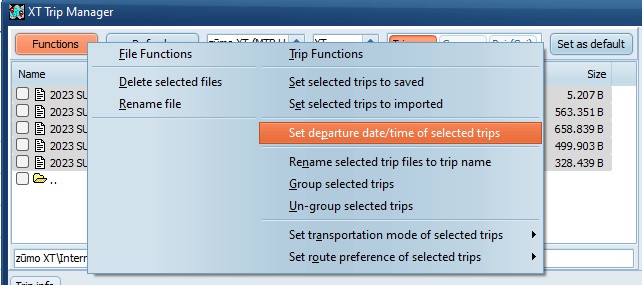
· Choose Functions/Set departure date/time of selected
trips.
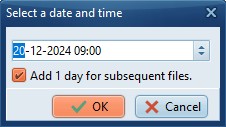
· A
dialog pops up, asking for a date and time.
· For
multi-day trips you can check. Add 1 day for subsequent
files.
|
I have sorted the trips deliberately 5
-> 1
|
Select all + Set departure
date/time
|
|
First trip (5) gets this date, adding 1
day for the rest.
|
|
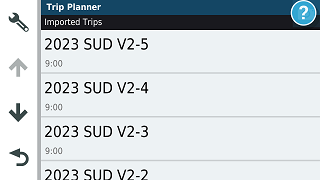
· The
trips will show sorted (5->1) on the XT.
2) Grouping trips.
Grouping works only on the XT, and is, to my
knowledge, not possible using the standard XT functions. It is
a feature accidentally discovered. For the XT2, XT3, or Tread
2, you should use Collections.
Trips containing the same mParentId and
mParentTripname will be shown grouped in the trip
planner.
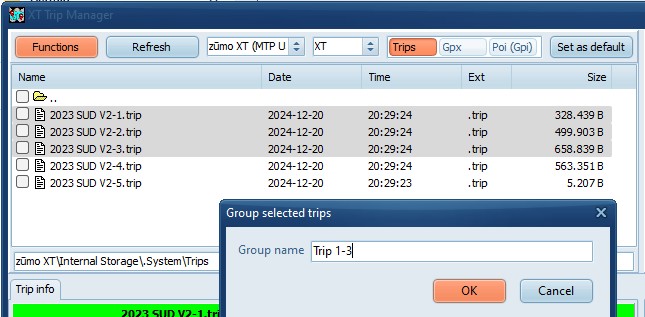
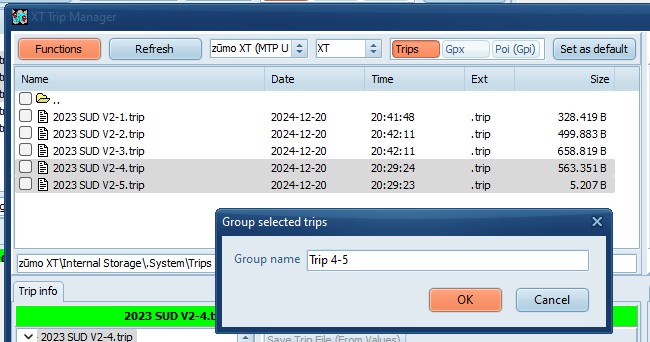
· Select the trips to group together.
· Choose Functions/Group selected trips
· Type a group name.
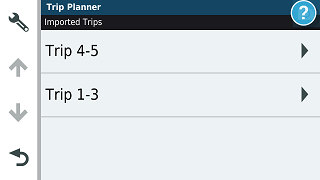
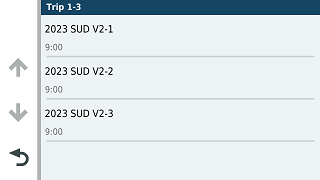
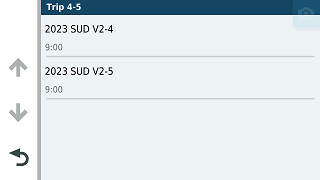
Result on the XT.
Notice that Trip 4-5 is displayed on top.
Remember trips 4,5 have a start date before trips 1,2,3
Notes:
· You
have to select all trips to group at the same time. You can not
add trips to the same group later on.
· If
you use the send to device
function of TripManager, and
AllowGrouping is enabled in Advanced/settings
trips multiple routes from a GPX will be grouped
automatically.
· Renaming the trips first to trip name can help finding,
and sorting, the trips in TripManager.
· A
combination of these 2 methods is also possible.
· You may notice that the time is off by 1 hour on the XT,
when you execute the function during winter-time and set a date
in summer- time. Apparently the XT does not account for
daylight savings. You may notice the same behaviour when you
set a date/time in Basecamp