What is meant with a universal route?
A universal route is an effort to create a
route in a route planner that will remain the same when loaded
in a Satnav.
A personal note: I dont believe there is a
method that will always work, for all routes. But that
should not let us stop trying.
Targeted route planners are Basecamp,
MyRouteApp, Kurviger, or Google maps. More general any route
planner that can create a GPX, or KML file.
Targeted Satnav's are the Zumo XT(2)(3), Tread
2. Other devices should ideally also work, but require
testing.
I am using tracks, that I convert to trips on
the Satnav. Why would I need anything else?
Typically trips converted from tracks do
follow the original planned route quite well, but they prevent
the Satnav from calculating an alternative when you need to
deviate. Restarting the trip, after a stop, is often
problematic, because all Via and Shaping points are lost.
Restarting the trip with Closest Entry
Point does not always work.
By it's nature (Trips from tracks only have
begin and end points) these trips are unable to calculate to
the next route point. Resulting in RUT behaviour.
The general approach
Create a route with enough shaping
points to make the Satnav calculate the same route, as the
route planner did. But do not add more than needed to
allow the Satnav to calculate an alternative to the next route
point when you have to deviate.
The Tools
1) Compare and Fix in TripManager.
The compare function in TripManager can be
used to check semi- automatically the original track/route with
the (re)calculated trip on the Satnav. Only for XT(2)(3) and
Tread 2.
Added with V1.7 are checkboxes on the lines
with differences, and a button Fix Trip, that will
create a new Trip, or GPX, with additional shaping points only
for the differences found.
So, It is a tool to check the result, and
create only shaping points on route segments that are
different.
2) Trk2Rt (By Steve Follen)
One of the things Trk2RT can do is
enhance a route by adding additional shaping points. It can
even create a route from a track(log).
It uses GPX, or KML, files as input, typically
created by BaseCamp, MyrouteApp, Kurviger, or Google
Maps.
If installed using the TripManager installer
Trk2Rt is added to context menu of GPX and KML files in Windows
Explorer and TripManager. Using the context menu you can easily
'Create a route from a track', or 'open' the file in the
TrkT2Rt dialog, to have all options available.
Trk2Rt is also available in the
Trip Editor via the speed
button Gpx/Trk2RT + import.
So, It is a valuable tool to add additional
shaping points, resulting in a device route that matches the
planned route better.
3) Kurviger route planner
Kurviger is a complete route planning tool,
targeted at motorcycle usage.
TripManager V1.7 has added options to open a
GPX, or Trip, file directly in Kurviger. The file can be on a
device, or a Windows folder. This option can help in quickly
checking a route. Very helpful are the warnings that Kurviger
can give about misplaced route points.
In Advanced/Settings a Tab has been
added called Kurviger where you can set up
the defaults to use for the Kurviger website.
One of its unique features, that can help in
creating a universal route, is the option to add additional
shaping points to the exported GPX. There is even an
intelligent option, but that is not available in the free
version.
So, In addition to being a good route planning
tool, it can help you add additional shaping points, resulting
in a device route that matches the planned route better.
Note: Kurviger uses the term Waypoint for
Route points. This can be confusing.
1) Using BaseCamp and Compare+Fix
· Create a small route in BaseCamp and export the calculated
route to GPX.
· Recalculate on the unit, reboot again in FileTransfer
mode.
· In
TripManager. Select the trip file. Use the Compare+Fix method.
See screenshots:
|
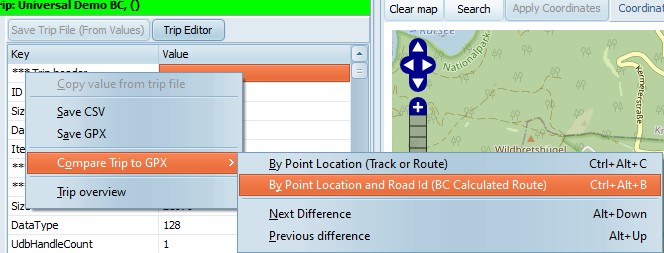
Right click in the Trip Info tab.
You can use Ctrl+Alt+B for comparing
BaseCamp GPX files, or CTRL+Alt+C for comparing with a
GPX containing a track.
|
|
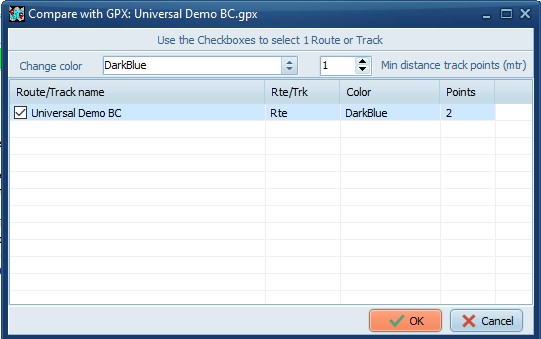
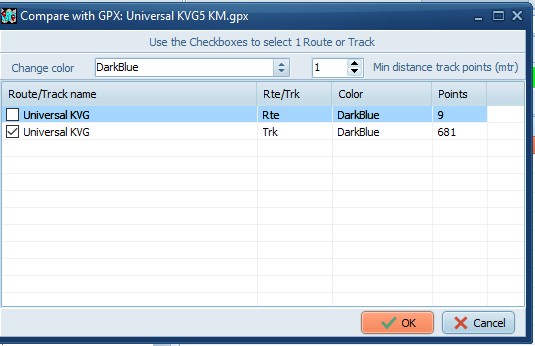
Select the route/track in the GPX to
compare with.
|
|
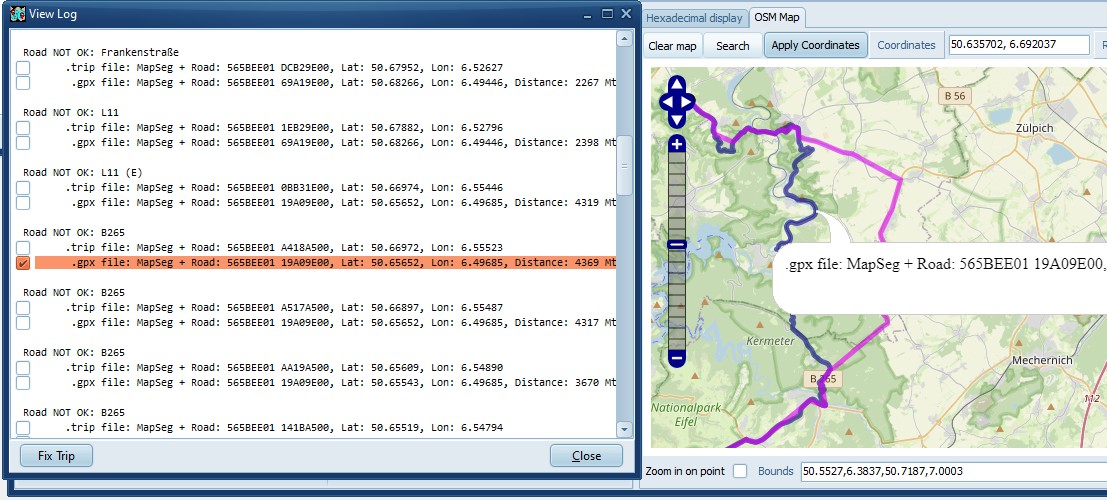
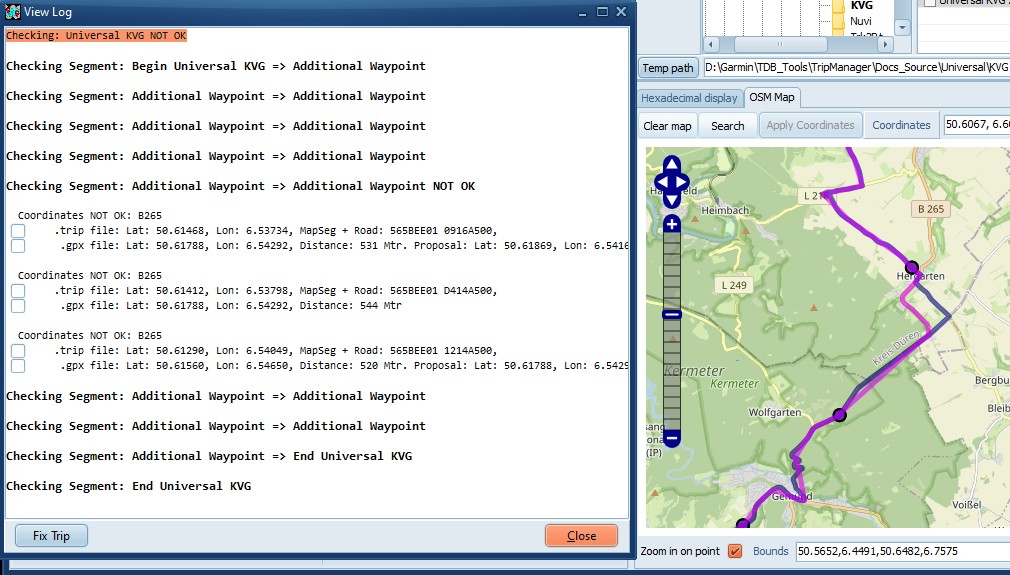
In the Log window the difference lines
are prefixed with a checkbox. To manually create an
additional shaping point, check the corresponding line.
Note that you can also check the lines from the trip
file, in case you prefer the Zumo alternative.
All checked lines will become additional
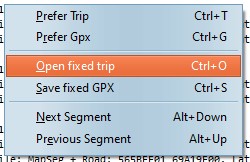
shaping points when you 'Open fixed trip', or 'Save fixed
GPX'.
|
|
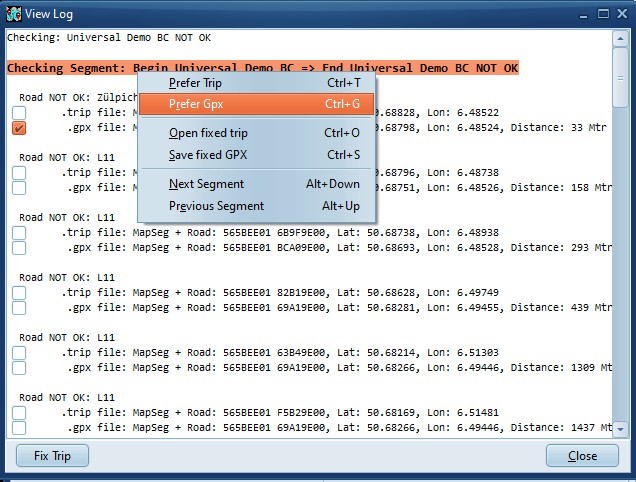
When you select a Segment Line,
or the First line, You can use Prefer GPX.
TripManager will automatically check lines that you can
use as a proposal. To control how many shaping points are
added use the General setting
MinShapeDist.
|
|
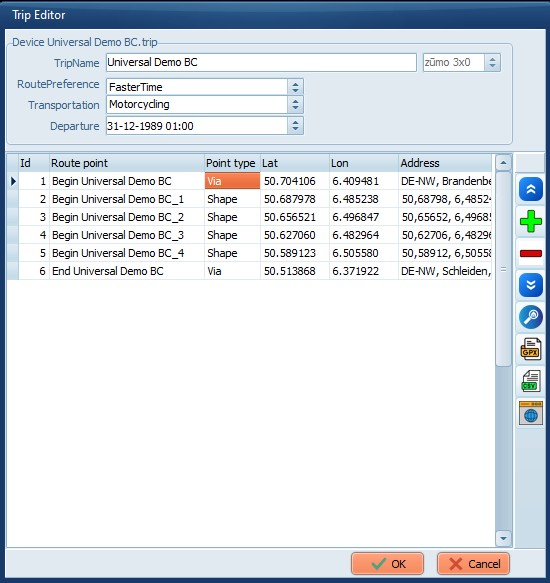
Open fixed trip will open the
Trip Editor with the added shaping points.
Save fixed GPX will create a new
GPX file.
|
|
Here you can:
· Export to a GPX, or CSV
· Open in Kurviger.
OK. Will save the trip
file
Cancel. To abort the
changes
|
In Kurviger you have the option to create
additional shaping points when exporting. Once the GPX is
exported the method for comparing is analogous to the previous
example.
|
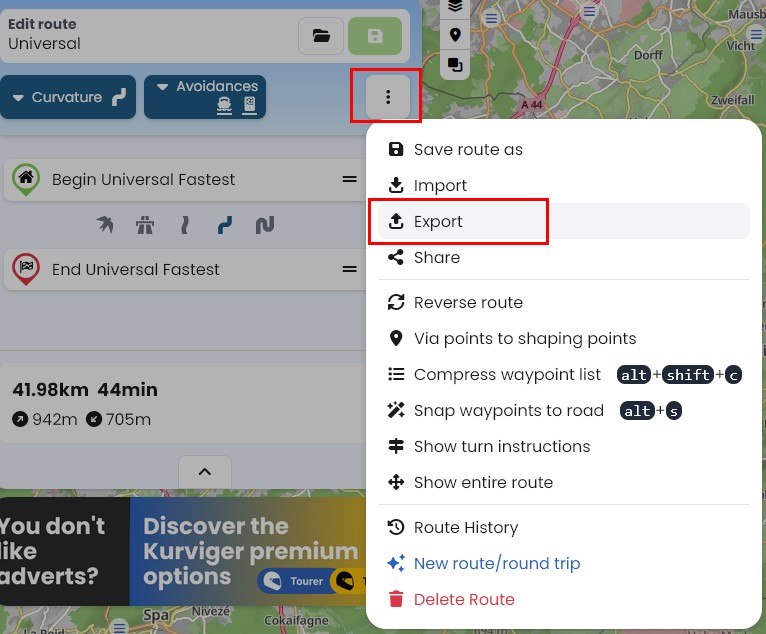
Click on the 3 dots, and select
Export
|
|
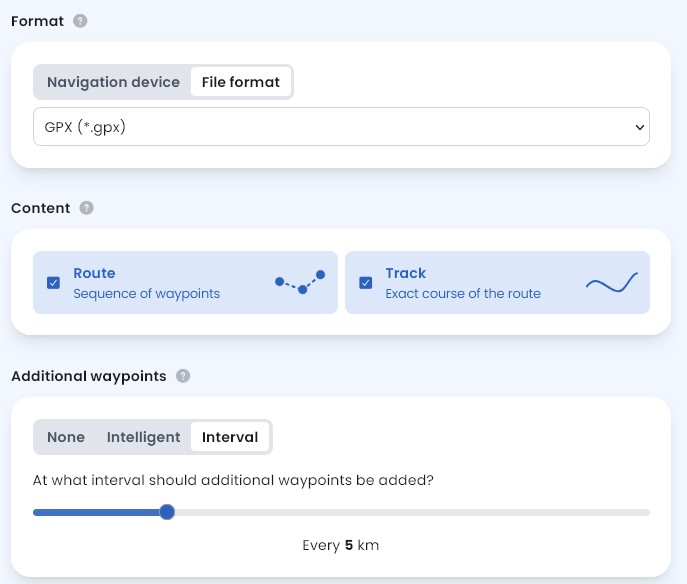
I recommend using File format GPX
(*.gpx) and selecting both Route and
Track.
Your preferred interval should be
experimentally determined.
Personal Note: Using 'Navigation
device'/'Garmin/Zumo XT' adds a lot of lines to the GPX.
TripManager does not use them. Importing on the XT takes
a lot longer.
The intented advantage is a route that
resembles the plan better, but in the event of
recalculation they are all discarded, and the result will
be different. As such it has no advantage over a Trip
from a Track.
|
The Compare+Fix is essentially the same, only
now you need to use Ctrl+Alt+C and select the Trk
line.
|
|
|
Because of the added shaping points the
difference is only minimal. In real life I would not
bother making changes to the Route.
|
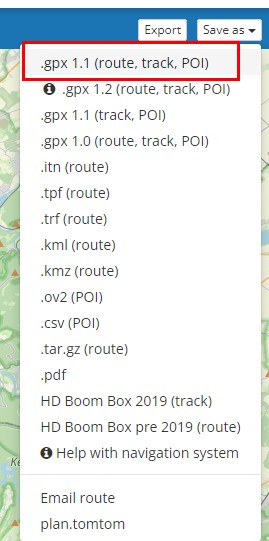
Export a route in MRA using GPX 1.1 (Route +
Track + POI)
For the purpose of this demonstration I'm now
using the Trip Editor, but the exported GPX can also be used in
the Send To method.
|
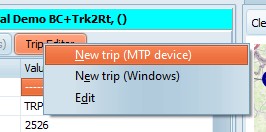
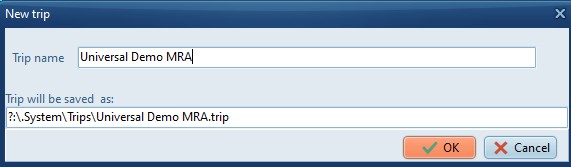
Use Trip Editor/New trip (MTP device) to
create a new empty trip.
|
|
Type a name
|
|
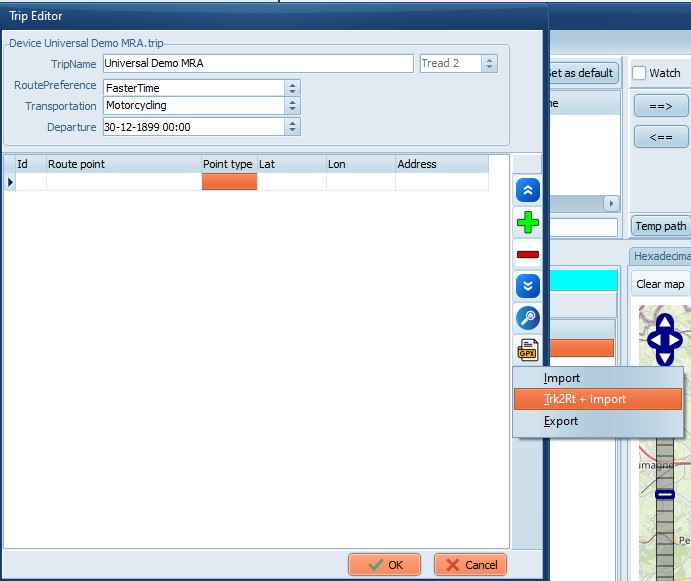
In the blank trip Click on Trk2Rt +
Import
|
|
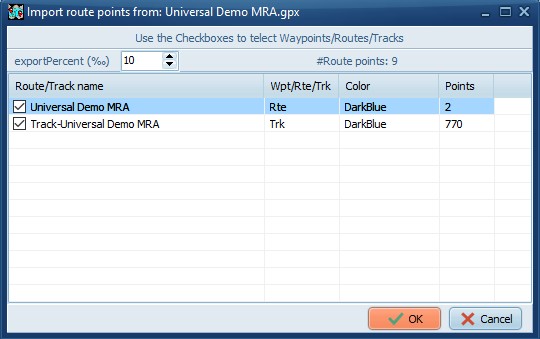
Open the GPX exported from MRA.
Check both the Rte and the
Trk line, for best results.
Change the exportPercent (Given
in per mille) to control how many Route points the
new trip should have.
|
|
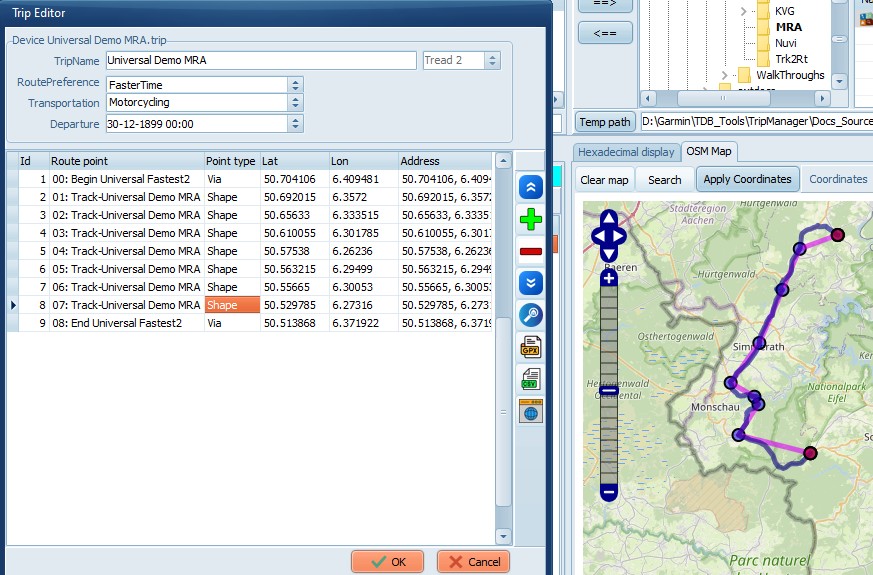
Note that MRA calculated the western
variant.
|